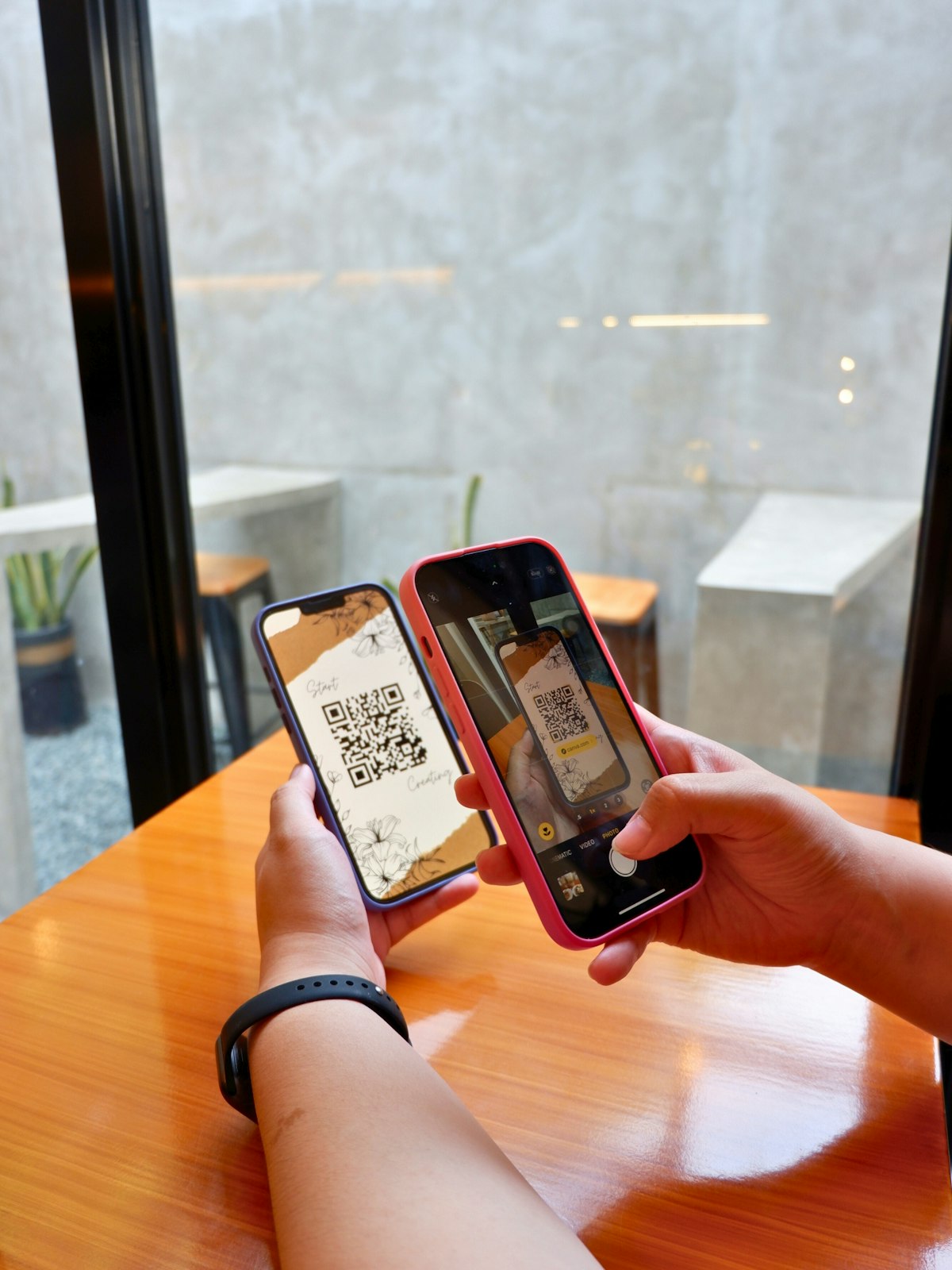
How to set up QR code payments for your rental property
Complete guide to setting up QR code payments for rental properties. From registration to tips for maximizing digital payments for consistent rent collection.
Your tenants are increasingly paying for everything through their phones. Bank transfers, digital wallets, QR code scans—it’s all second nature now. Yet many landlords still rely on cash or manual bank transfers, then struggle to match up who’s paid and who hasn’t.
QR code payment systems solve this by letting you accept payments from multiple digital wallets and banking apps using a single QR code. No need to maintain multiple payment accounts or share different bank details with every tenant.
In this article, you’ll learn how to set up QR code payments for your rental property from scratch—from registration to placement, plus tips to maximize adoption among your tenants.
Already accepting digital payments? Record all payments in Kamaru—cash or transfer, everything stays organized. Setup takes just 5 minutes.
What are QR code payments and why they matter for landlords
QR code payments allow customers to scan a code with their phone and pay instantly through their preferred payment app. Instead of sharing bank account numbers or handling cash, you simply display a QR code and tenants pay from whichever app they already use.
How do they work
The process is straightforward:
- You register as a merchant with a payment provider
- You receive a unique QR code for your business
- Tenants scan the QR code using their payment app (PayPal, Venmo, Cash App, or their mobile banking app)
- Money goes directly into your account
Different countries have different QR payment standards. In Indonesia, QRIS (Quick Response Code Indonesian Standard) unifies all QR payments into one national standard. In the US and Europe, providers like Square, PayPal, and Venmo each offer their own QR payment solutions.
Why this matters for landlords
Digital payment adoption continues to grow globally. More tenants—especially younger ones—prefer paying through their smartphones rather than handing over cash or setting up manual bank transfers.
With QR code payments, you don’t need to:
- Share multiple bank account numbers for different banks
- Create accounts on every digital wallet platform
- Collect payments in person or wait for tenants to come to you
One QR code handles it all. Tenants can pay anytime, from anywhere.
Benefits of QR code payments for landlords
Beyond convenience, QR code payments offer specific advantages for rental property businesses.
Accept payments from multiple platforms at once
This is the biggest advantage. A single QR code can accept payments from:
- Digital wallets: PayPal, Venmo, Cash App, Google Pay, Apple Pay
- Mobile banking apps: Most major banks now support QR payments
- Other payment apps supported by your chosen provider
You never need to ask tenants “which bank do you use?” or “do you have Venmo?” Just share the QR code, and they pay with whatever app they already have.
Automatic payment receipts
Every QR code transaction generates a digital receipt automatically—for both you and the tenant. This eliminates the “did I pay or not?” disputes that frequently happen with cash payments.
Incoming payments are logged in your bank or payment app, complete with date, time, amount, and sender name. No more lost cash or miscounted payments.
Safer than cash
Holding large amounts of cash carries risks—loss, theft, or miscounting. With QR payments, money goes directly into your bank account. No need to keep cash on hand at the property.
More convenient for tenants
Tenants don’t need to leave their apartment to pay or wait for a scheduled meeting with you. They can pay anytime and from anywhere—even at midnight if they want. This eliminates the “I haven’t paid yet because I haven’t seen you” excuse.
Low transaction fees
Transaction fees for QR payments are typically low. For example, Indonesia’s QRIS charges merchants just 0.7% per transaction. For a $100/month rent, that’s only $0.70. In the US, Square charges around 2.6% + $0.10, while PayPal QR codes for merchants start at 1.9% + $0.10. These fees are small compared to the risk of late payments that can cost you far more.
For strategies on reducing late payments, read how to track rent payments: 3 easy methods.
Accept payments via QR code, record them in Kamaru. Try Kamaru free—track who has paid and who hasn’t.
How to register for QR code payments
The registration process is straightforward and can usually be done online. Here’s how.
Requirements
To register as a QR payment merchant, you’ll typically need:
- Government-issued ID (driver’s license, passport, or national ID)
- Tax identification number (depending on your country and provider)
- Active bank account in your name
- Photo of your business location (front view of your rental property)
- Active phone number and email address
Choose a payment provider
There are several types of providers to choose from:
Banks:
- Pros: Direct integration with your bank account, established customer support
- Cons: Registration process may take longer
- Examples: Most major banks now offer QR payment merchant services
Digital wallet providers:
- Pros: Quick registration, usually fully online
- Cons: Fund settlement may take time
- Examples: PayPal Business, Venmo Business, Square
Payment aggregators:
- Pros: Additional features like transaction dashboards and reports
- Cons: May charge additional fees
- Examples: Square, Stripe, Toast (for various business types)
For small to medium rental properties, registering through your existing bank is usually the most practical option since funds go directly into your account without a separate settlement process.
Step-by-step registration process
- Choose your provider — Contact your bank or download the merchant app from your chosen provider
- Prepare your documents — ID, tax number (if required), and business location photo
- Complete the registration form — This can be done online through the provider’s website/app or in person at a bank branch
- Verification — The provider will verify your information (usually 1-3 business days)
- Activation — Once approved, you’ll receive your unique QR code for your business
Static vs dynamic QR codes
There are two types of QR codes for payments:
Static QR codes:
- One fixed QR code for all transactions
- Tenants enter the payment amount themselves
- Can be printed and displayed permanently
- Ideal for rental properties because it’s practical and doesn’t require generating a new code for each transaction
Dynamic QR codes:
- A different QR code for each transaction
- Amount is pre-set by the merchant
- Needs to be generated for every transaction
- Better suited for retail stores or restaurants with varying transaction amounts
Recommendation for rental properties: Use a static QR code. Print one code, display it prominently, and tenants simply scan it and enter their rent amount. Simple and effective.
How to set up QR code payments at your property
Once you’ve registered and received your QR code, here’s how to set it up effectively at your rental property.
Print and display in strategic locations
Print your QR code large enough to scan easily (at least 4x4 inches / 10x10 cm) and display it in visible locations:
- Lobby or common area — where tenants pass through most often
- Near the notice board — alongside property rules and other important information
- On each unit door (optional) — for easy access
Make sure the print quality is good and won’t fade quickly. Laminate the QR code for durability.
Send a digital copy to tenants
In addition to the printed version, send a digital copy through:
- Tenant group chat — one message with the QR code and brief instructions
- Individual message — when a tenant first moves in
A digital copy makes it easy for tenants who want to pay from outside the property.
Include in your lease terms
Add information about QR code payment in your lease agreement or property rules. Explain:
- How to pay via QR code
- The amount to be paid
- Payment due date
- That the QR transaction receipt serves as proof of payment
Set up payment notifications
Enable notifications on your bank or payment app so you’re immediately alerted when a payment comes in. This is important for:
- Quick confirmation to tenants that payment was received
- Matching payments to the correct tenant records
Record incoming payments in your tracking system
This is the step many landlords miss. Money arrives in the bank account, but it’s never recorded in a tracking system. The result? You struggle to match payments from 10-20 tenants every month.
Every time a payment comes in via QR code, record it immediately in your tracking system. With Kamaru, you can record payments in seconds—just select the tenant, enter the amount, and you’re done. See the full guide at how to use Kamaru’s payment tracking.
Payment received via QR code? Record it in Kamaru right away. Try Kamaru free—track payments and see each tenant’s status at a glance.
Tips for maximizing QR code payment adoption
Having QR code payments available isn’t enough. You need to make sure tenants actually use them.
Educate your tenants
Don’t assume all tenants will figure it out on their own. Take time to explain:
- How to scan the QR code
- Which apps they can use to pay
- The benefits for them (more convenient, automatic receipt)
Create a brief instruction card (can be posted next to the QR code) explaining the payment steps.
Offer a small incentive
To encourage adoption early on, consider offering a small incentive:
- A small discount on rent for QR code payments in the first month
- A small reduction for tenants who consistently pay via QR code for the first 3 months
These incentives usually don’t need to be permanent—once tenants get used to it, they’ll continue using QR payments because it’s genuinely more convenient.
Keep other payment methods available
Don’t force all tenants to switch to QR payments at once. Some tenants may:
- Be unfamiliar with the technology
- Prefer traditional bank transfers
- Have other reasons for paying by cash
Offer QR payments as an additional option, not the only method. Gradually, most tenants will switch on their own.
Check your bank statements regularly
Don’t rely solely on notifications. Set aside time each week (or on each due date) to review your bank statements and confirm that all payments have been received and recorded.
Keep digital transaction records
Although QR transactions are automatically logged in your bank app, it’s good practice to maintain additional records in your tracking system. This is useful if disputes arise or you need a reference later.
For more strategies on reducing late payments, read 8 ways to reduce rent payment arrears.
Common mistakes when setting up QR code payments
Avoid these mistakes to ensure your QR payment setup goes smoothly.
Not recording incoming payments
This is the most common mistake. Money comes into your bank account via QR code, but you never record it in your tracking system. The result? When checking who has paid, the data doesn’t match—especially with 15-20 tenants paying at different times.
Solution: Record every incoming payment immediately. Use a tracking app to keep data in one place.
Only offering QR payments with no alternatives
Some tenants may not be able to or want to pay via QR code. If you only provide one payment method, tenants who have difficulty will end up paying late.
Solution: Provide at least 2-3 payment methods (QR code, bank transfer, cash).
Not checking bank statements regularly
Relying on notifications alone is risky. Notifications can be missed, or a payment may fail without you realizing it.
Solution: Schedule regular times (for example, every 3 days) to check your bank statements.
QR code is hard to see or access
A QR code printed too small, faded, or placed in a hard-to-reach location will discourage tenants from using it.
Solution: Print at a readable size, laminate it, and display it in a high-traffic area that tenants pass through frequently.
Not informing tenants about the new payment method
Setting up QR payments without telling tenants is the same as not setting it up at all. Many tenants won’t know they can pay via QR code if you don’t inform them.
Solution: Announce it through your group chat, post a notice, and explain in person when you meet tenants.
For more property management mistakes to avoid, read 10 fatal mistakes landlords make.
Don’t let payments arrive without being recorded. Try Kamaru free—record all payments in one app—whether tenants pay by cash, transfer, or QR code. Setup takes just 5 minutes, no credit card required.
Frequently asked questions
How much do QR code payment transactions cost?
Transaction fees vary by provider and country. Indonesia’s QRIS charges merchants 0.7% per transaction (free for the payer). In the US, Square charges about 2.6% + $0.10, while PayPal’s QR merchant rate starts at 1.9% + $0.10. For most rental amounts, these fees are minimal compared to the convenience gained.
Can all payment apps scan QR codes?
Most major payment apps support QR code scanning, but compatibility depends on the system you use. With a unified standard like Indonesia’s QRIS, all registered apps can scan the same code. In other countries, your tenants may need to use the same platform as your QR code provider—so choosing a widely-used provider is important.
What if a tenant doesn’t have a digital wallet?
Keep other payment options available like bank transfers or cash. QR payments are an additional option for convenience, not a replacement for all methods. Over time, tenants who haven’t adopted digital payments will usually follow suit after seeing others use it.
Do I need a business registration to accept QR payments?
It depends on the provider. Some providers like PayPal and Venmo allow individual accounts to receive QR payments. Others, especially bank-based solutions, may require business documentation. Contact your chosen provider for their specific requirements.
Are QR code payments secure?
Yes. Major QR payment systems use strong encryption and fraud protection. In Indonesia, QRIS is regulated by Bank Indonesia with strict security standards. In other countries, established providers like Square and PayPal have robust security measures. Always use only the official QR code from your provider and watch out for fraudulent QR codes placed by unauthorized parties.
What if a payment fails or stays pending?
Check your bank statements first. If the payment hasn’t arrived, ask the tenant to show their transaction receipt from their app. If the status is “pending,” it usually resolves within 1-24 hours. If it fails, ask the tenant to try again or use a different payment method. Contact your provider’s customer support if the issue persists.
Conclusion
QR code payments are an easy and affordable way to accept rent from tenants. With a single QR code, you can accept payments from multiple digital wallets and banking apps—without needing multiple accounts or bank details.
Steps to set up QR code payments for your rental property:
- Register as a merchant through your bank or payment provider
- Choose a static QR code that can be printed and displayed permanently
- Display the QR code in strategic locations and send a digital copy to tenants
- Educate your tenants on how to use it
- Record every incoming payment in your tracking system
Most importantly, don’t forget to record every payment that comes in. QR payments make it easier for tenants to pay, but you still need a system to track who has paid and who hasn’t.
Ready to accept payments more easily? Try Kamaru free today. Record all payments in one app—whether tenants pay by cash, transfer, or QR code. Setup takes just 5 minutes, no credit card required.
Related articles
Have questions or feedback? We'd love to hear from you. Email us.
Start managing for free today
Join other landlords who are already using Kamaru to manage their properties.

