Open Kamaru on a computer and set staff roles + 3 more updates
v1.11.2 brings two big features: Kamaru now opens in a browser at my.kamaru.app with the same account, and every staff member has a role (Front Office, Supervisor, or Accounting) whose permissions you set yourself. Plus detail pages as tabs, internal notes per room and property, and message template translation into 23 languages.
Two new things in v1.11.2 that make Kamaru more flexible: open it in a browser at my.kamaru.app when you’re at a laptop, and staff roles whose permissions you set yourself. Plus 3 more updates that tidy up the detail pages and make message templates easier to use.
Open Kamaru in a browser
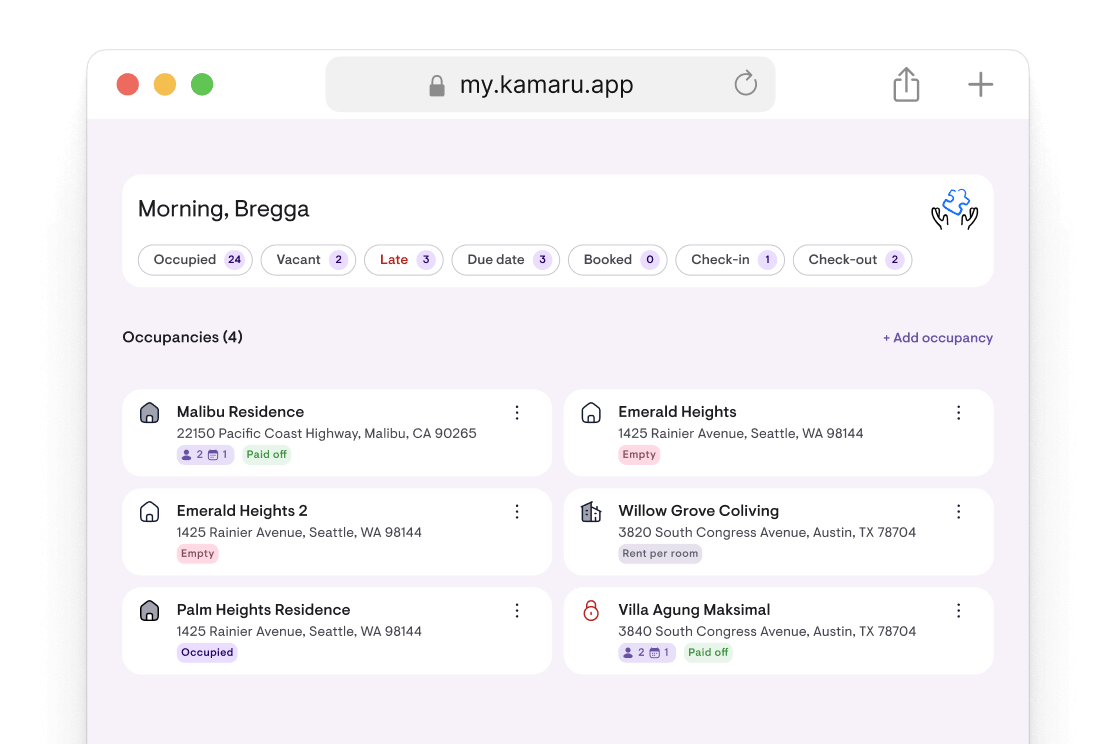
At a laptop and don’t feel like reaching for your phone? Kamaru now opens in a browser at my.kamaru.app. Sign in with the same Google or Apple account, your data is right there, nothing to set up twice.
Good for work that’s nicer on a big screen: reading financial reports, entering a batch of payments, or viewing the occupancy calendar a full month at a time. Staff can use it too, with the same permissions they have on the phone.
Everything you change in the browser syncs straight to the phone, and the other way round. One account, one set of data, two screens.
In the phone app, a new card on the property list and Profile → Access Kamaru on a computer explain how to get in. Both can be dismissed once you don’t need them.
Every staff member has a role, and you set the permissions
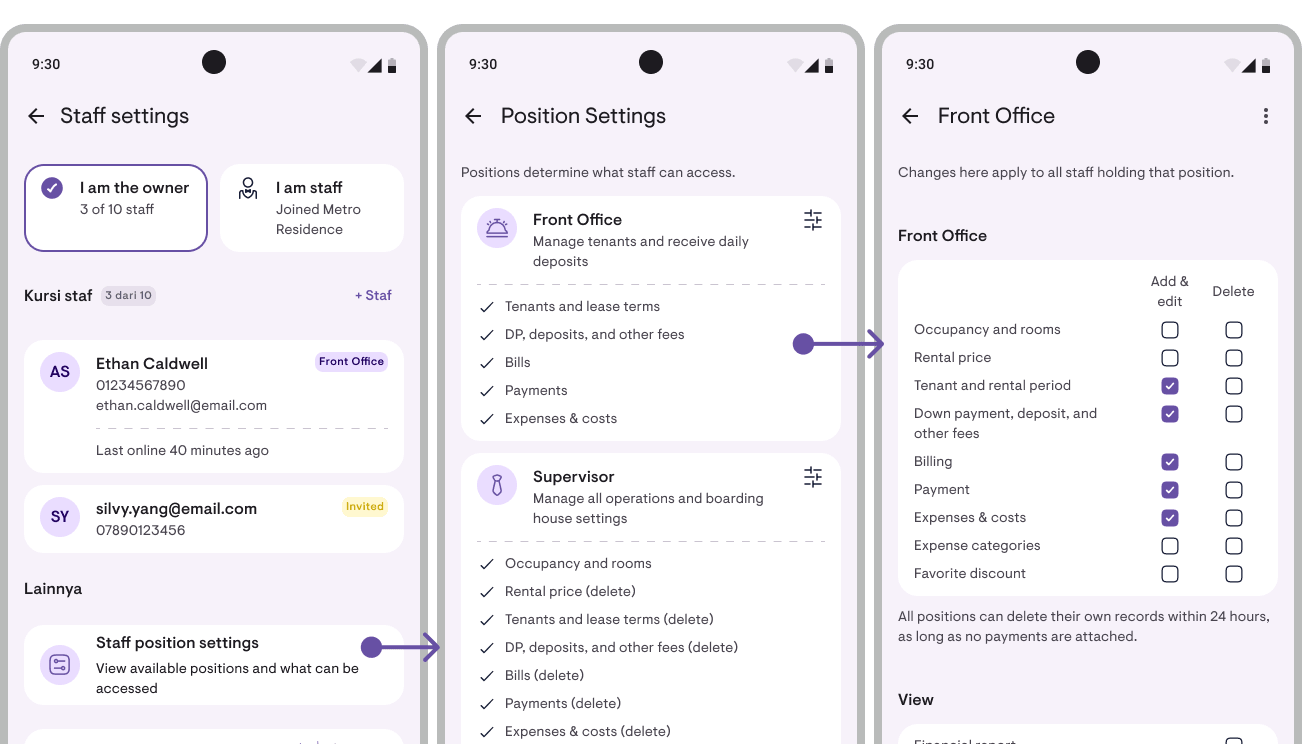
Since v1.11.0 you could add staff. Now every staff member has a role: Front Office, Supervisor, or Accounting. Each role comes with its own preset permissions, and you can adjust the preset to match how your rental actually runs.
- Front Office handles tenants and payments day-to-day. This is the default, and every existing staff member became Front Office automatically with nothing changing.
- Supervisor can do nearly everything: add and edit anything, delete nearly everything (except properties and rooms), adjust settings (except bank accounts).
- Accounting keeps the books: down payments and deposits, invoices, payments, expenses, and can read reports. Doesn’t touch tenant or room data.
Open Staff → Role settings to see three cards, one per role. Tap one to change its checkboxes: what may be added, edited, deleted, or viewed. One change applies to every staff member holding that role.
Every checkbox is a real lock, on the phone and in the database. A staff member without access sees a padlock that says “The owner hasn’t granted access”, not a confusing error.
Roles apply to all staff, on Pro (1 seat) and MAX (up to 10 seats).
Plus 3 more updates
1. Room and property detail pages are now tabs. Room detail used to be one long page you scrolled through. It’s now split into tabs: Tenants · Prices · Transactions · More, each with its own add button. Property detail works the same way. Faster to find what you’re after, and on a tablet the tabs don’t stretch across the whole screen.
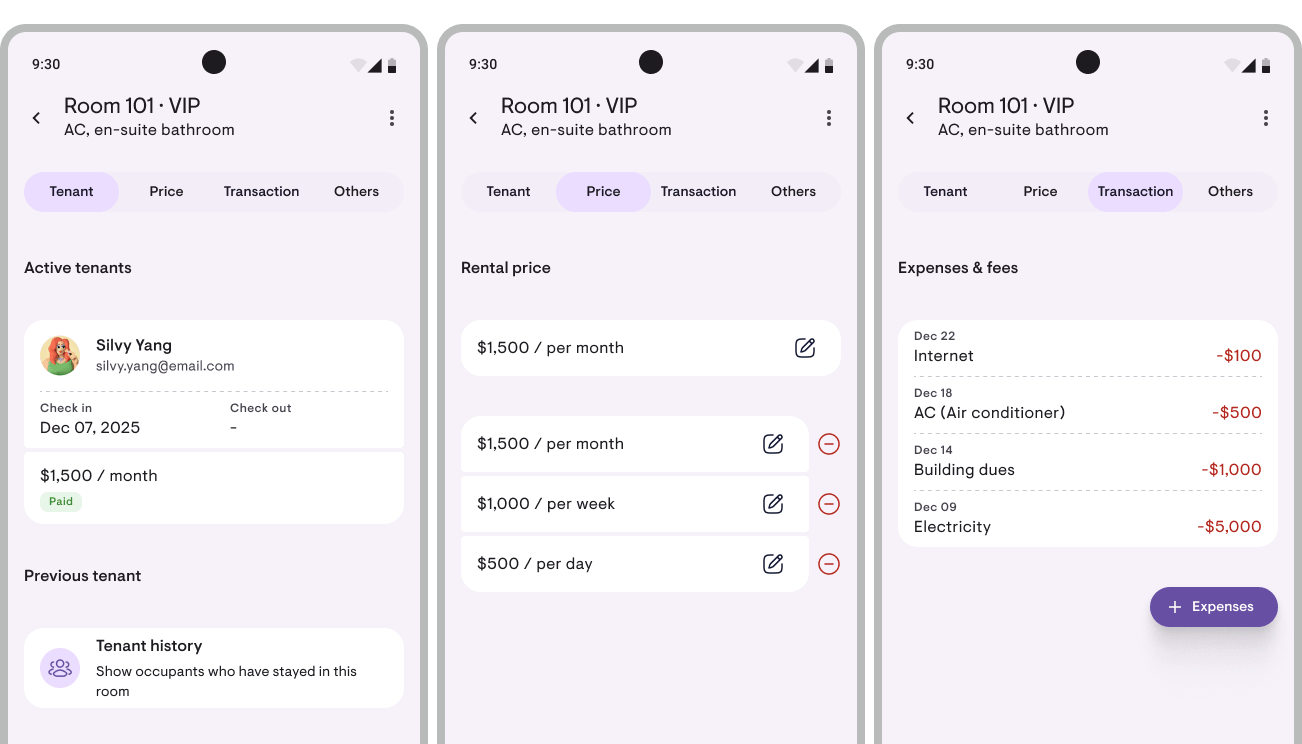
2. Internal notes on every room and property. A place for things that are only for your team: where the spare key is, when the AC was last serviced, when the electricity bill is due. Open Room detail → More → Internal notes. As many as you need per room or property, never printed on anything sent to a tenant, and every staff member can read and write them. Free up to 5 notes per room or property, unlimited on Pro and MAX.
3. Translate a message template into another language. Have tenants from abroad? Open Edit message template → More → Translate, pick from 23 languages, and the template is replaced with the translation. Placeholders like the tenant’s name and the amount stay intact. Not right? There’s an Undo button. Free on every plan.
Improvements & fixes
- Forgot your password? There’s now a button for it on the sign-in screen. A 6-digit code goes to your email, enter it in the app, set a new password.
- Contact Kamaru from the sign-in screen if you can’t get in. Icon in the top right.
- Confirmation before deleting a profile photo, ID photo, property logo, or all notifications. Things that can’t be undone now ask first.
- Notes on rental prices, such as “AC” or “promo”, so two monthly prices with different amounts don’t get mixed up.
- Down payment and rent on one invoice, no need to split them into two documents.
- Photos load faster and use less data, since the app fetches a small version for avatars and cards.
- The empty screen says when sample data was deleted, so it doesn’t look like your data went missing.
And plenty of smaller fixes that make Kamaru better.
Kamaru grows with your rental ❤️
This update is about flexibility: Kamaru is no longer phone-only, and staff are no longer one-size-fits-all. An owner with two people in the office can now say “you handle tenants, you handle the books” and Kamaru keeps the boundary.
These features came from your stories: “I’m at a laptop more than a phone” and “my staff don’t need to see everything, just what they work on”. Thank you for telling us.
Two ways we build Kamaru together:
- Profile → Feature requests → straight from the app, into our inbox. We chat via WhatsApp or Email.
- Reviews in the store → 20 seconds. Beyond helping the app’s ranking, reviews are also a signal to us on which features are worth continuing and expanding.
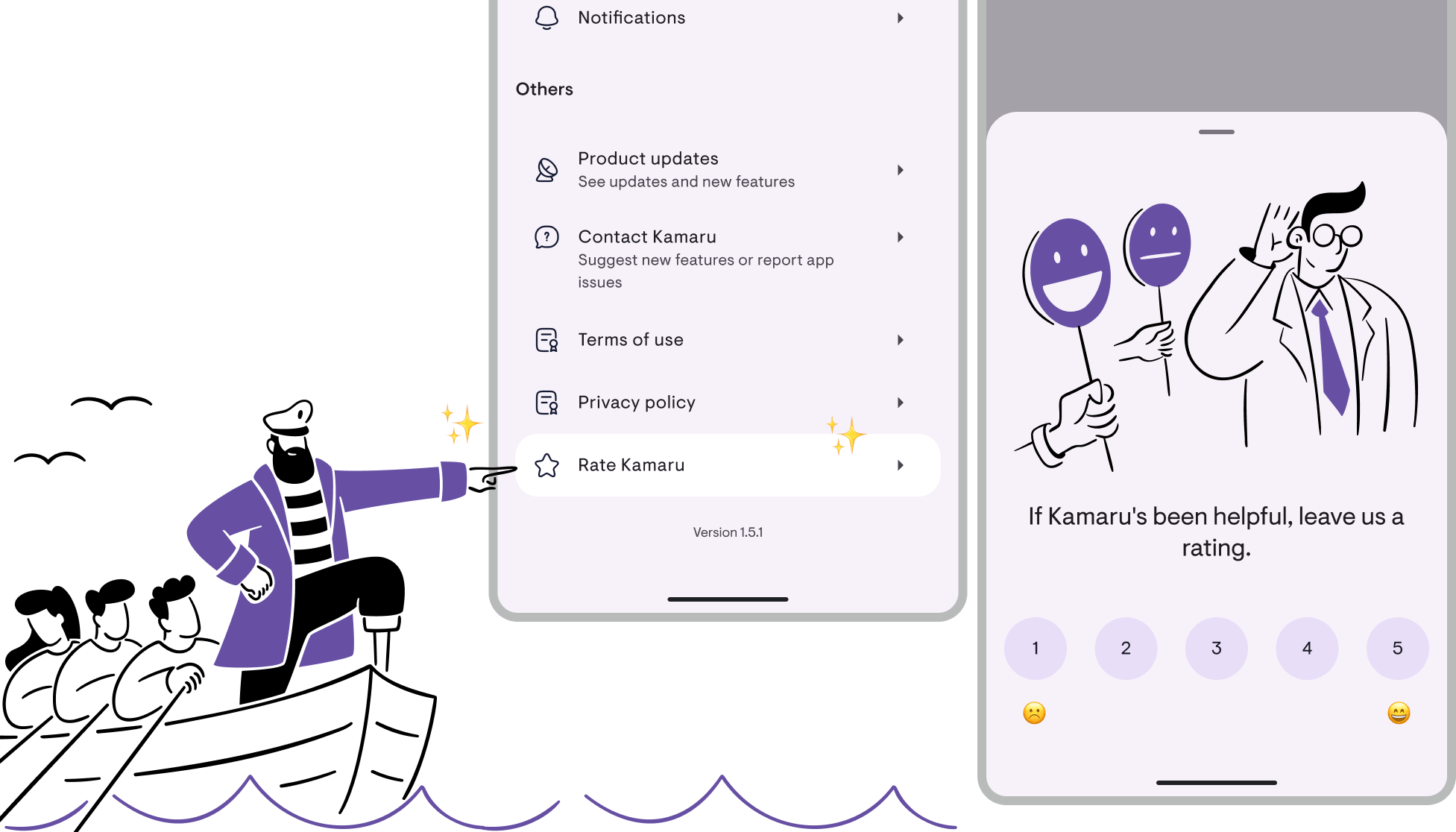
We read every review, so if this update helps, please tell us.
Bregga / founder of Kamaru
Have questions or feedback? We'd love to hear from you. Email us.

Start managing for free today
Join other landlords who are already using Kamaru to manage their properties.

