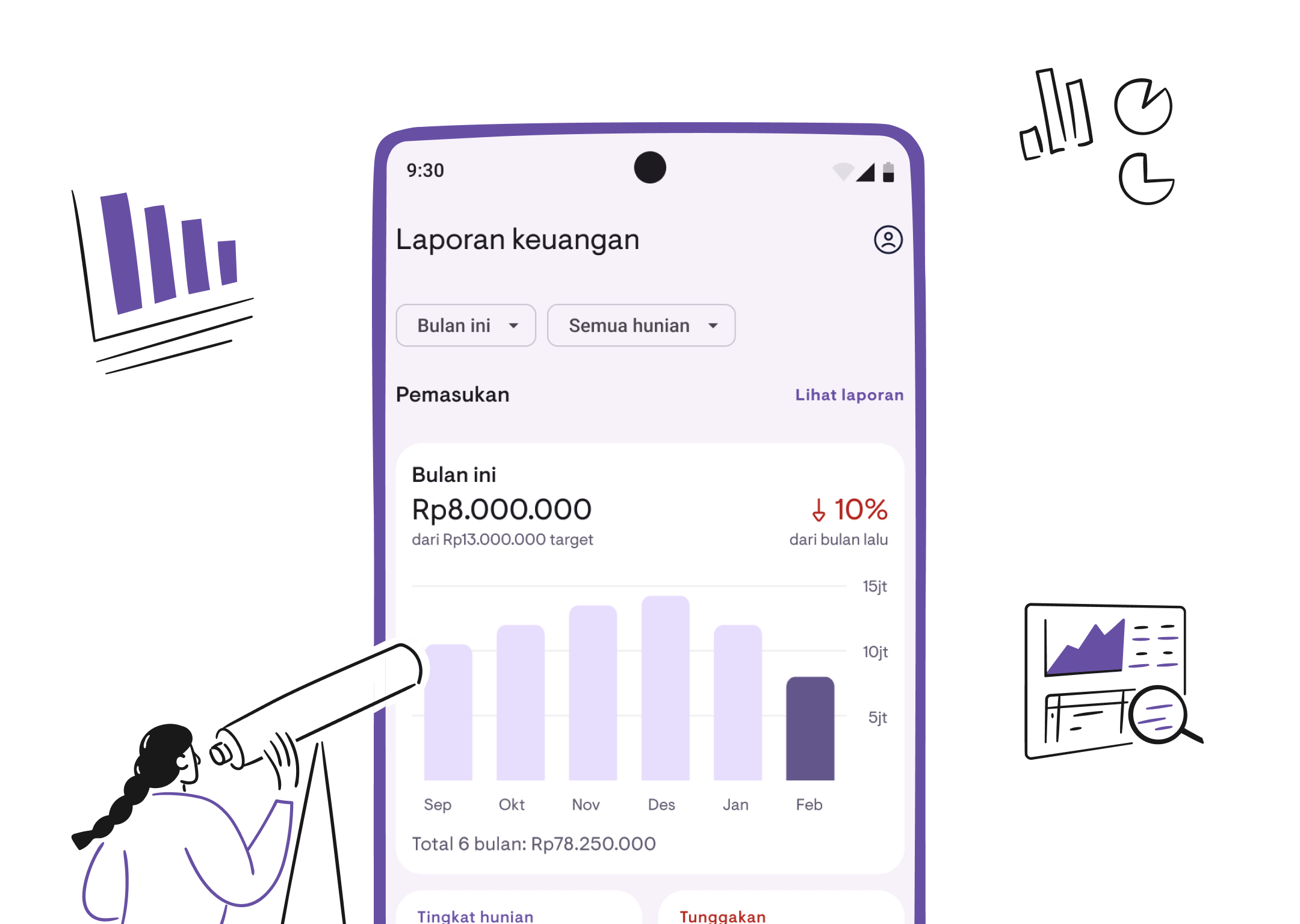
Introducing financial reports
View your property financial summary, track income, monitor overdue payments, and export reports. Financial Reports are now available in Kamaru.
Own multiple properties but unsure how much income you actually made this month? Who’s behind on rent? What’s your occupancy rate? Manually calculating from payment records is time-consuming and error-prone.
That’s why we’re excited to introduce Financial Reports, now available in Kamaru.
Report Overview
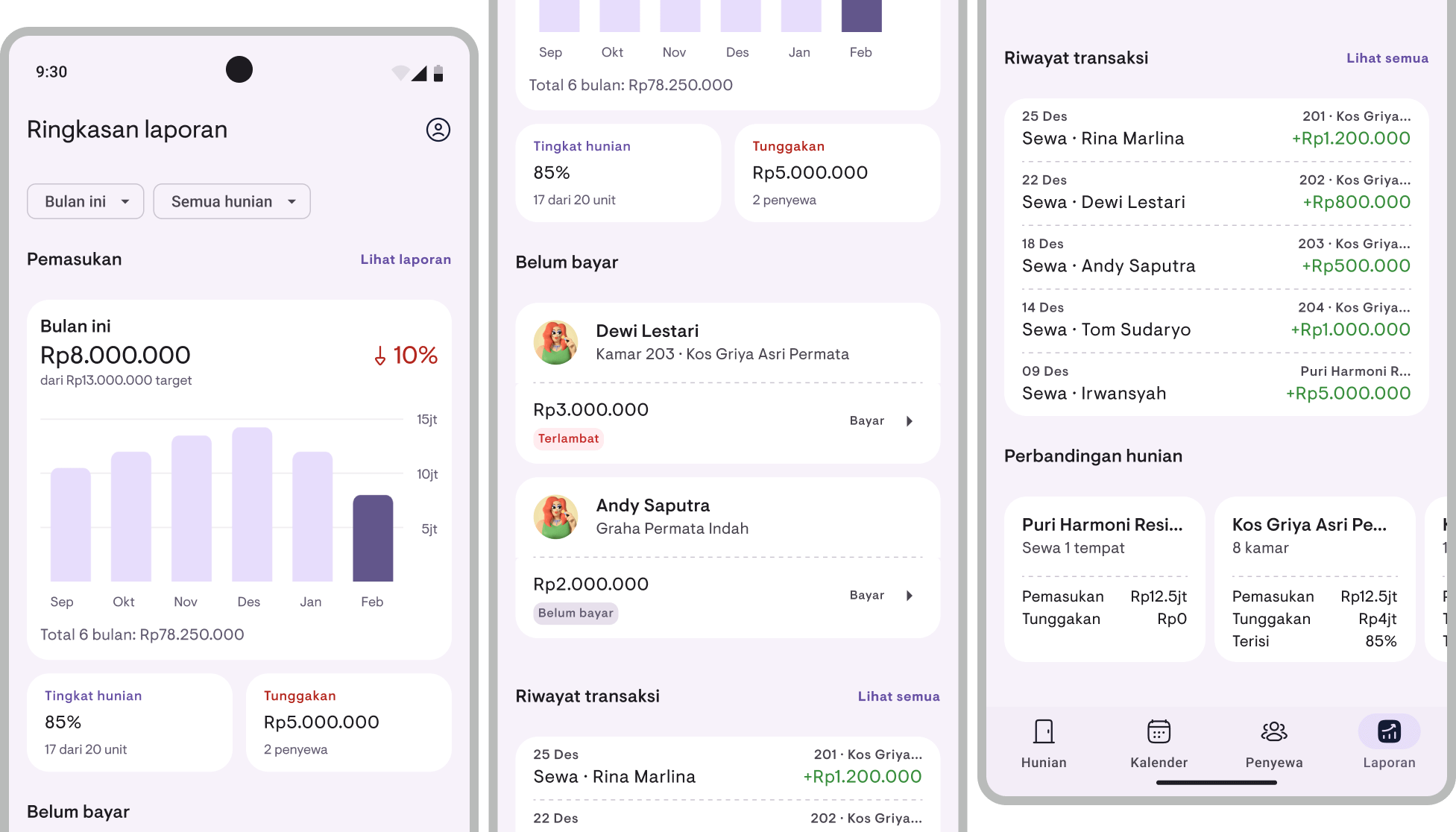
The Report Overview is your central hub for property financial information. Open the Reports tab in the bottom navigation bar and get the big picture at a glance:
- Income — Total income for the current period with a bar chart showing the last 6 or 12 months’ trend, plus month-over-month comparison (up or down by what percentage)
- Occupancy rate — Percentage of occupied units out of your total units
- Overdue payments — Total unpaid charges and how many tenants are behind
- Overdue tenants — List of tenants with overdue, partial, or unpaid status
- Recent transactions — Latest payments received
- Property comparison — Side-by-side cards comparing income, overdue amounts, and occupancy across properties
Period and property filters
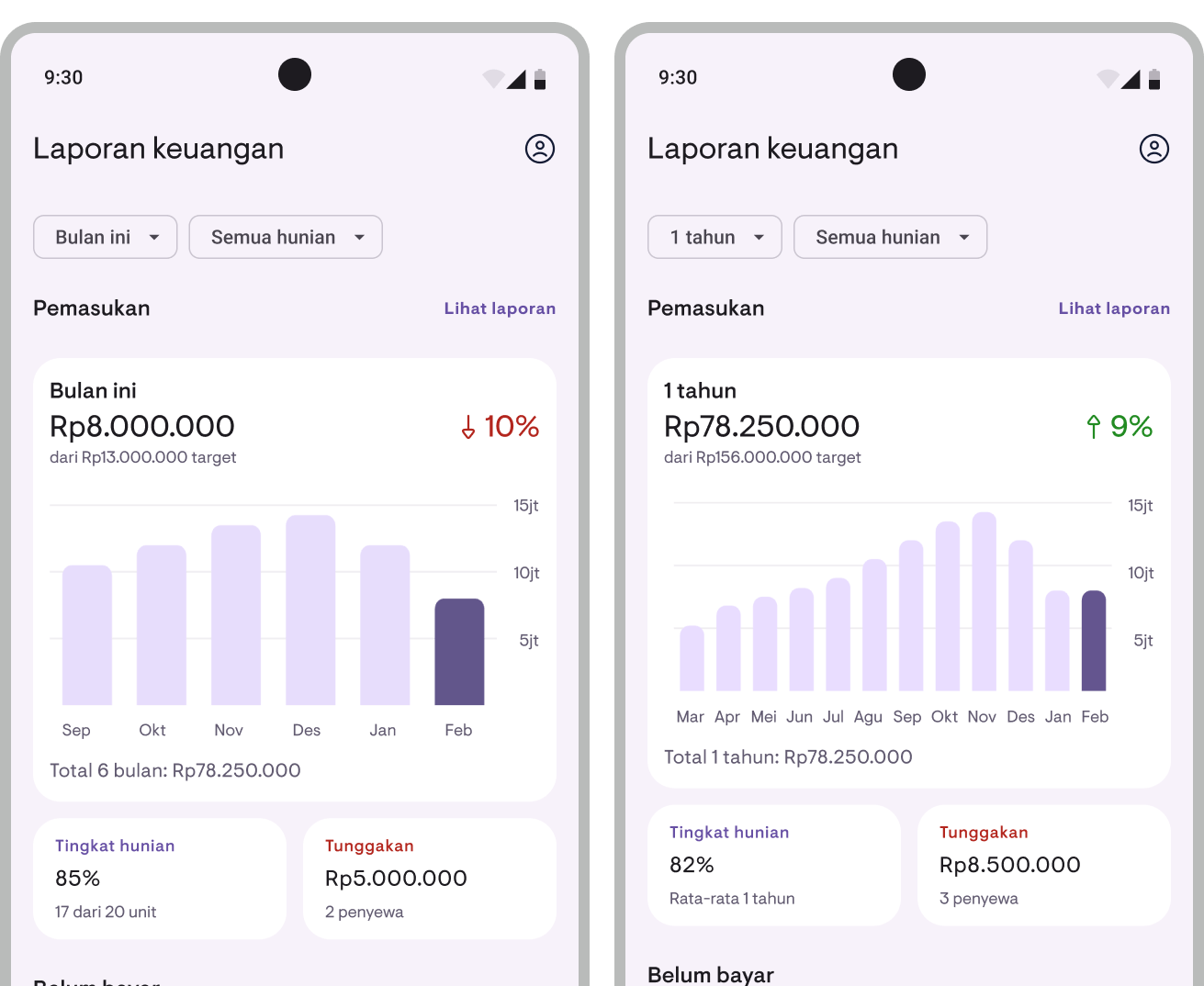
Customize the view to suit your needs:
- Period — Choose “This Month” for monthly data, or “1 Year” for rolling 12-month data
- Property — View all properties at once or filter by a specific property
Financial summary
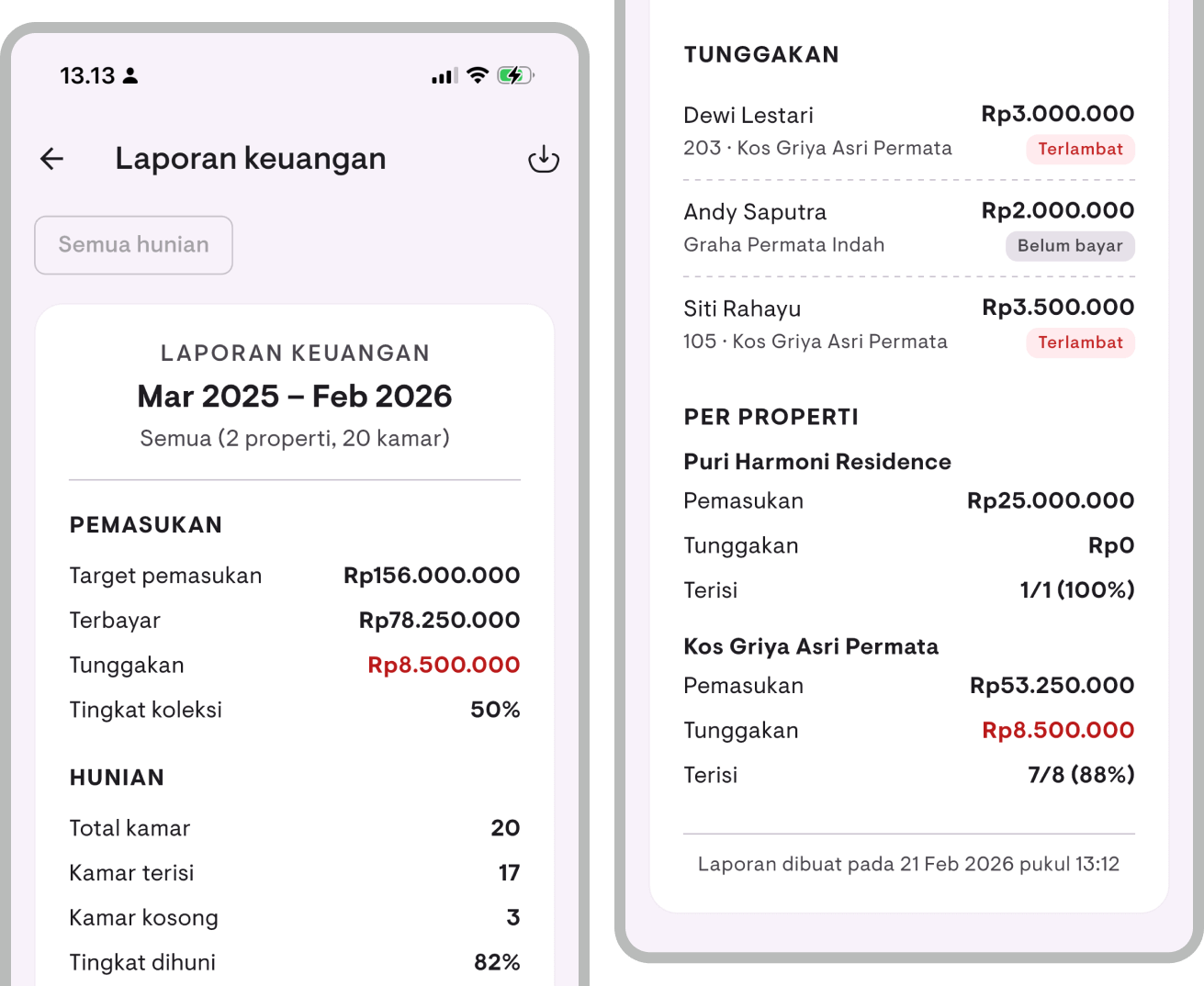
Need a more detailed report? Tap View Report on the Report Overview to go to the Financial Summary page. Here you can see:
- Target income vs collected income vs overdue amount
- Collection rate — Percentage of income successfully collected
- Occupancy details — Total rooms, occupied, vacant, and occupancy percentage
- Overdue list — Tenant name, location, property, overdue amount, and payment status
- Per-property breakdown — Income, overdue amounts, and occupancy for each property
Filter by month and property for more specific analysis.
Cash report
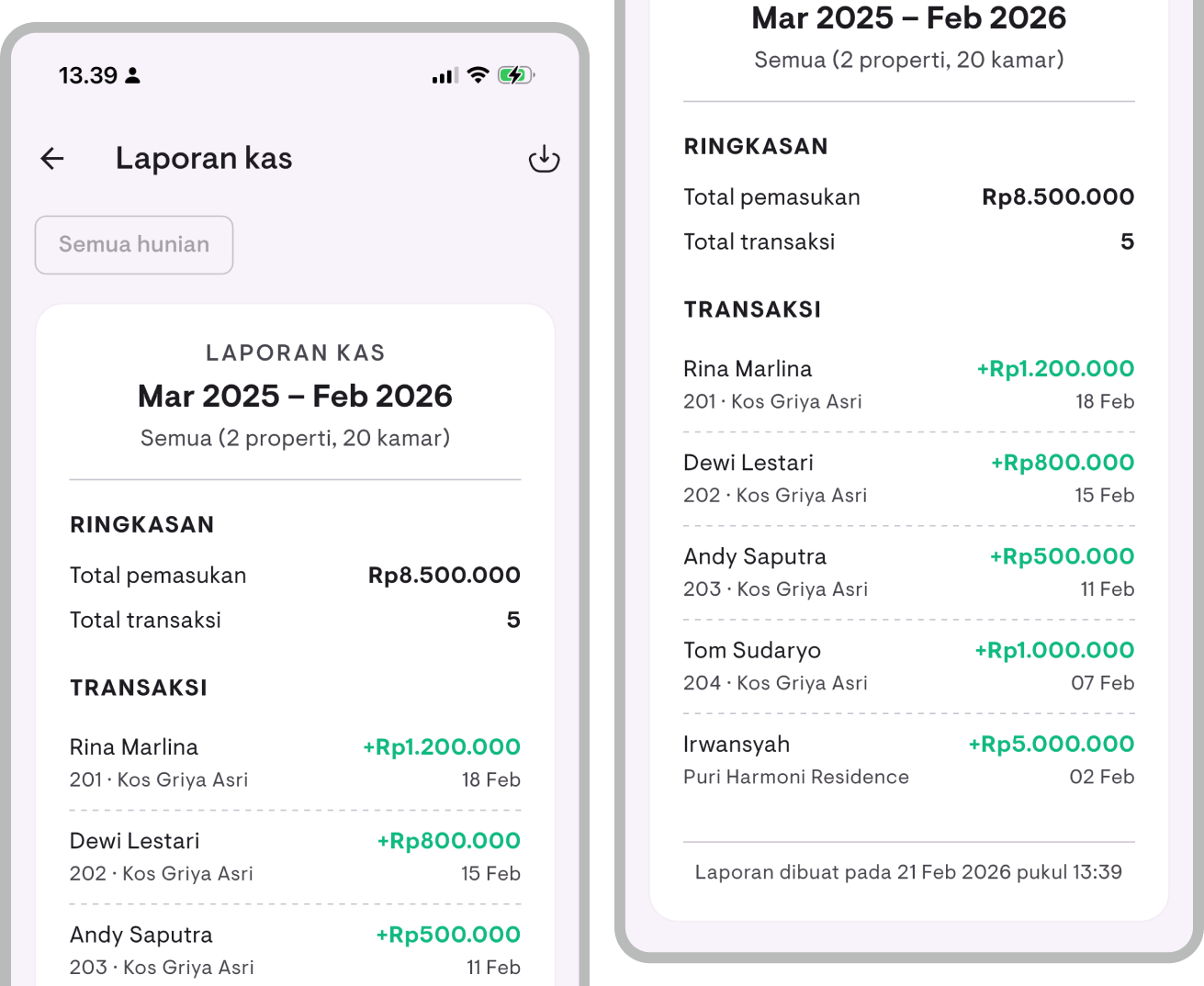
Want to see detailed incoming transactions? Open the Cash Report from the Report Overview. This report shows:
- Total income and number of transactions within the selected period
- Full transaction list — Tenant name, location, payment amount, and date
Great for reconciliation or cross-checking against your bank statements.
PDF and CSV export
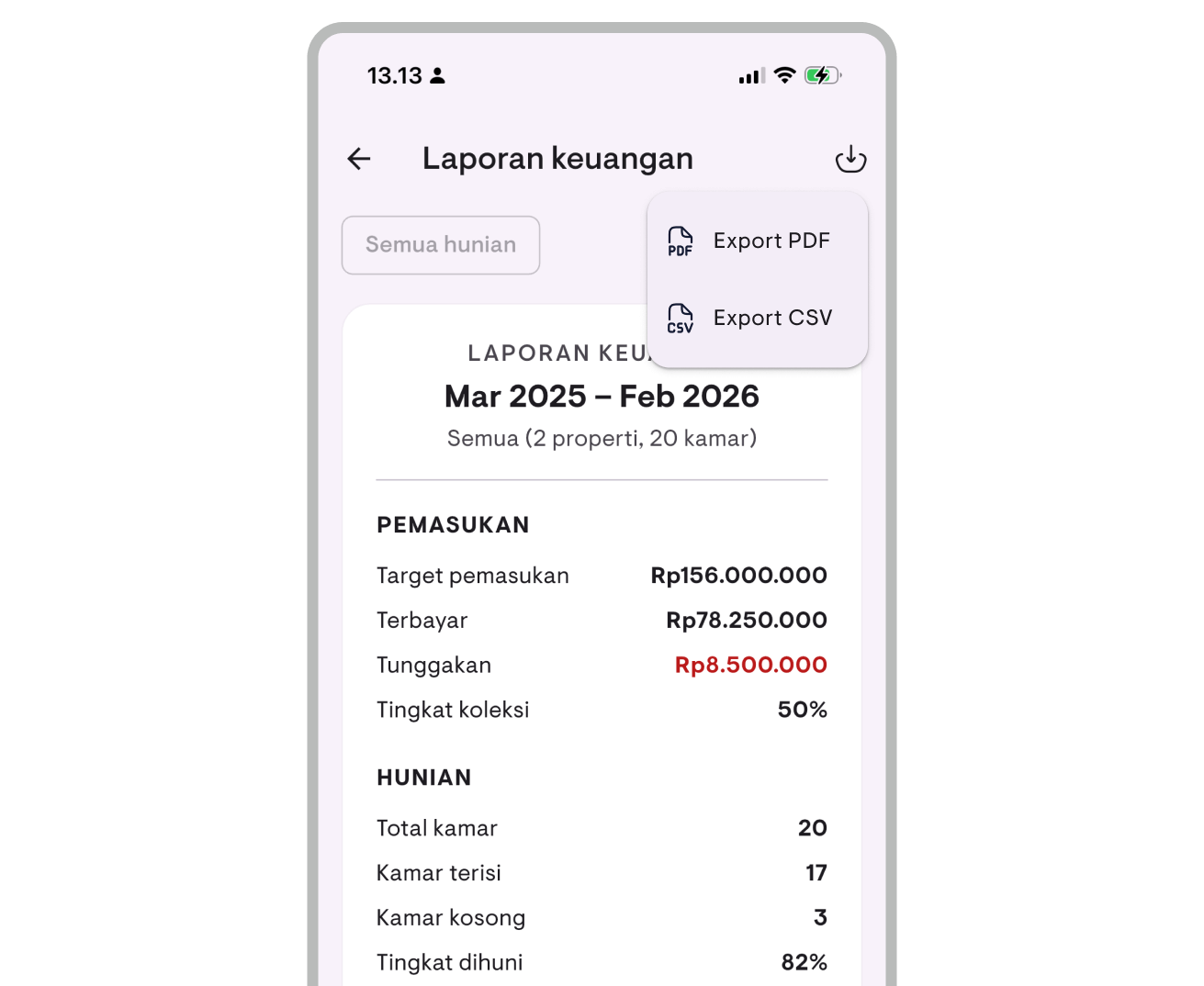
All reports can be exported:
- PDF — Print-ready format, easy to share with partners or keep as records
- CSV — Spreadsheet format, ready to open in Excel or Google Sheets for further analysis
Tap the share or download button on the report page, and the file is ready to send or save.
Available now
Financial Reports are available in the latest version of Kamaru for Android and iOS. All report features — Report Overview, Financial Summary, Cash Report, and export — are available for Pro subscribers. Free users can preview the feature with sample data.
Update your app now!
For a complete guide on how to use financial reports, see the Financial Reports user guide.
Have questions or feedback? We'd love to hear from you. Email us.

Start managing for free today
Join other landlords who are already using Kamaru to manage their properties.

